Tasks & subtasks
Break big to‑dos into smaller steps with subtasks and checklists, and watch your progress bar fill up as you go.
Plan tasks, set reminders, track progress, and share lists with family or teammates in real time. Tasks: To Do List & Reminders turns a messy day into a clear, simple plan.
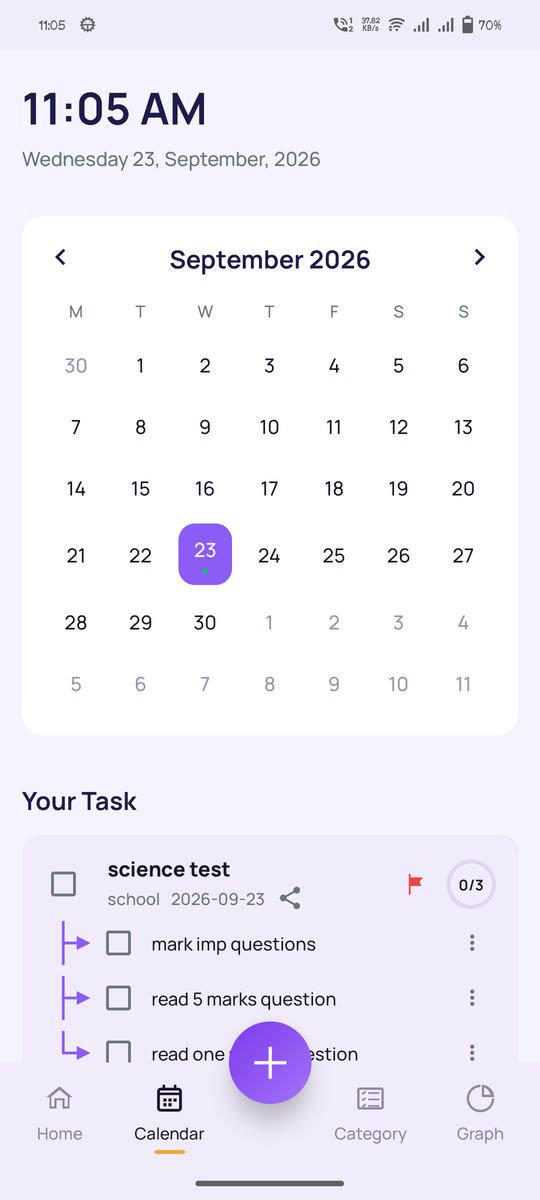
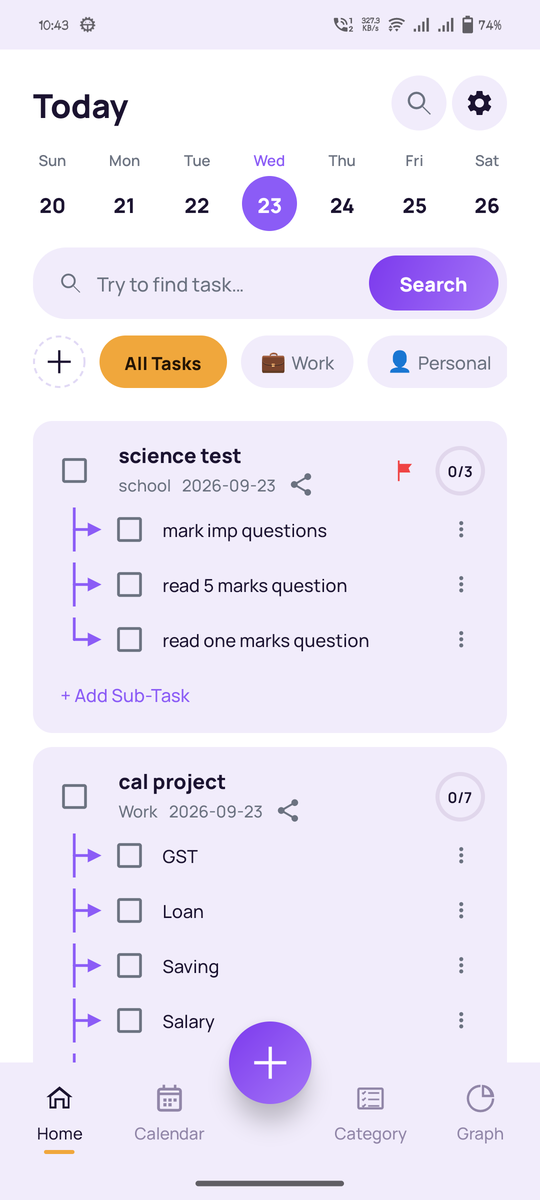
A clean task manager built around the things that actually make lists useful: clarity, reminders, and the ability to share a list with someone else.
Break big to‑dos into smaller steps with subtasks and checklists, and watch your progress bar fill up as you go.
Set a date, time, and reminder for anything. Notifications bring you straight back to the task that matters.
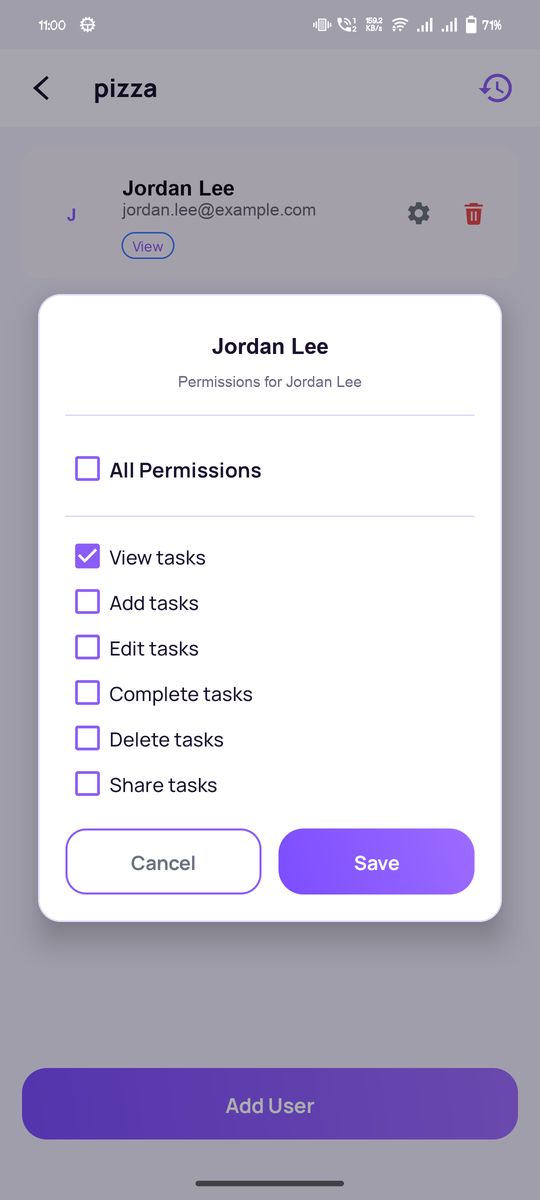
Invite family, roommates, or teammates to a task with fine‑grained permissions: view, add, edit, complete, delete, or share. Watch changes sync live.
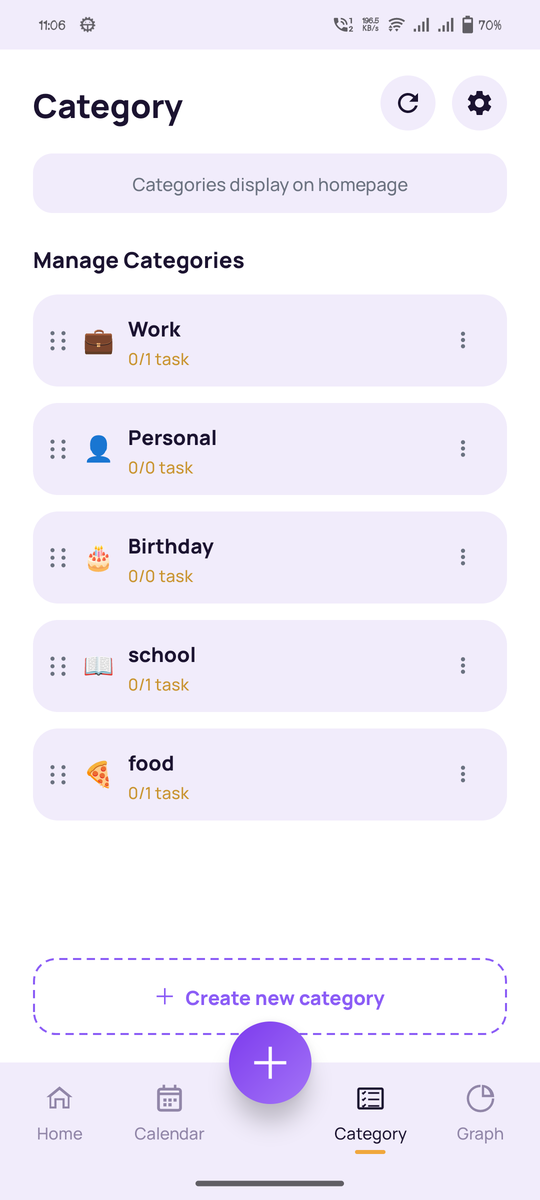
Group tasks into custom categories like Work, Personal, or Health, each with its own emoji and completion progress.
See every task on a familiar month grid. Tap a day to see exactly what's due, at a glance.
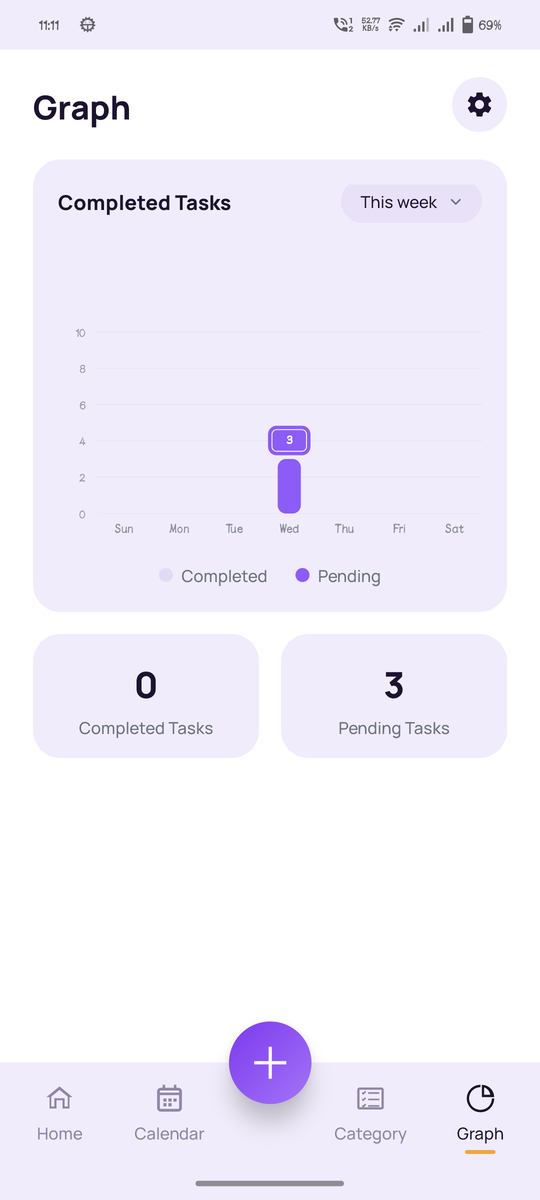
A weekly chart shows completed vs. pending tasks by category, so you can see what's actually getting done.
A quick tour of the Home, Calendar, Categories, Sharing, and Progress screens.
No dark patterns, no surprise charges, no data games. Here's exactly how we handle your information.
Accounts run on Firebase Authentication with email/password or Google Sign-In: industry-standard, never a password we invent ourselves.
Nothing is shared unless you generate a link yourself, and you set the exact permissions (view, add, edit, complete, delete, or share) per person.
Open the app and look around before creating an account. Guest mode is read-only, so there's nothing to commit to just to try it.
Every export and import is logged with its status and what changed, so your data's history is never a mystery.
Plain language, no legalese maze. See exactly what we collect and why in our Privacy Policy.
Questions or problems go to KCOApps@gmail.com and get read by someone who can actually help.
Install Tasks: To Do List & Reminders from Google Play, or continue as a guest to try it instantly without creating an account.
Tap the add button, set a title, pick a category, add a date, time, and reminder, then save.
Open any task and generate a share link to invite someone, with exactly the permissions you choose.
Yes. The app is free to download and use, with all core features (tasks, categories, reminders, calendar, and sharing) available at no cost.
No. Guest mode lets you browse and try the app without signing in. Creating a free account (email or Google) unlocks cloud sync, reminders, backup, and sharing with others.
Yes. Any task can be shared through a link, with permissions you control: view only, can add, can edit, can complete, can delete, or full access. Changes sync in real time for everyone involved.
Signed‑in users' tasks sync to the cloud automatically, and the app keeps a local backup/import history so you can see exactly what was exported or restored and when.
Join a growing list of people who stopped juggling sticky notes and started using a to‑do list that actually keeps up with them.