Home: your day at a glance
Today's tasks, grouped and checkable in one tap. A progress bar at the top shows how much of the day is already done, so you always know where you stand.
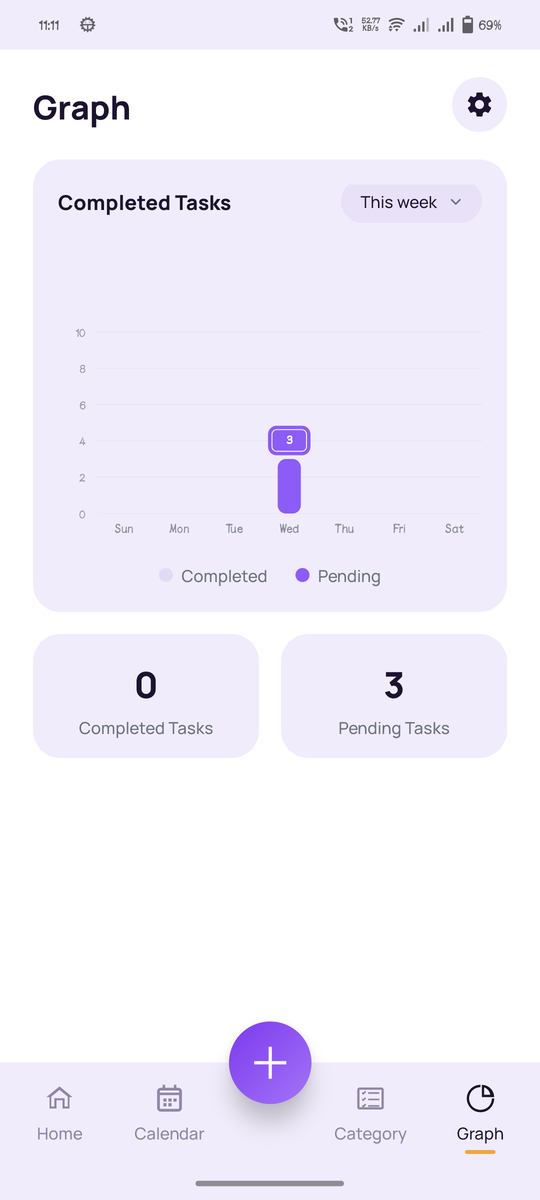
Real screens from Tasks: To Do List & Reminders, what you'll see after installing it from Google Play.
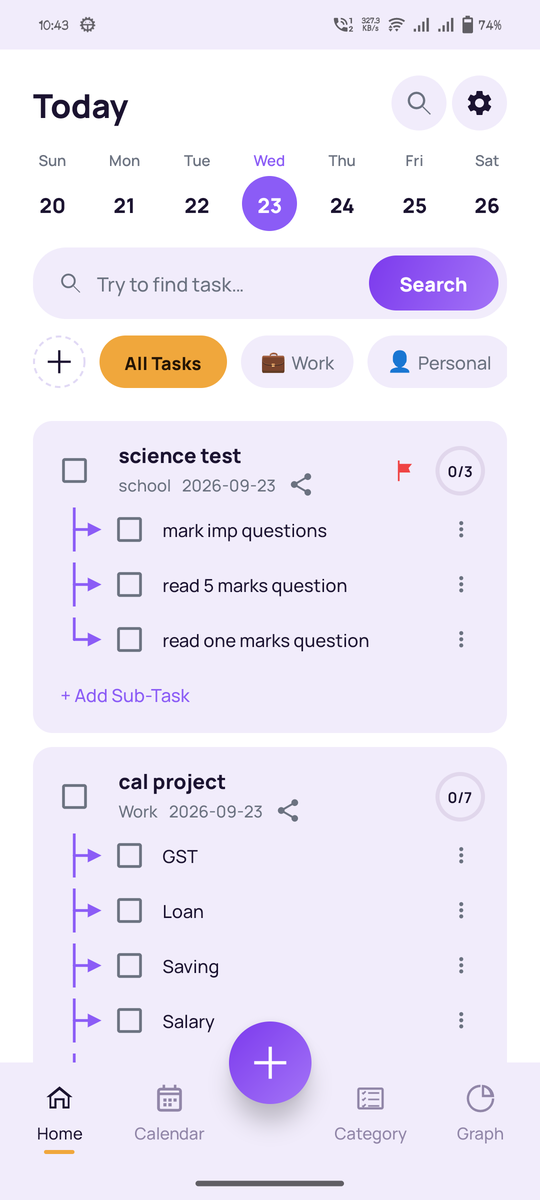
Today's tasks, grouped and checkable in one tap. A progress bar at the top shows how much of the day is already done, so you always know where you stand.
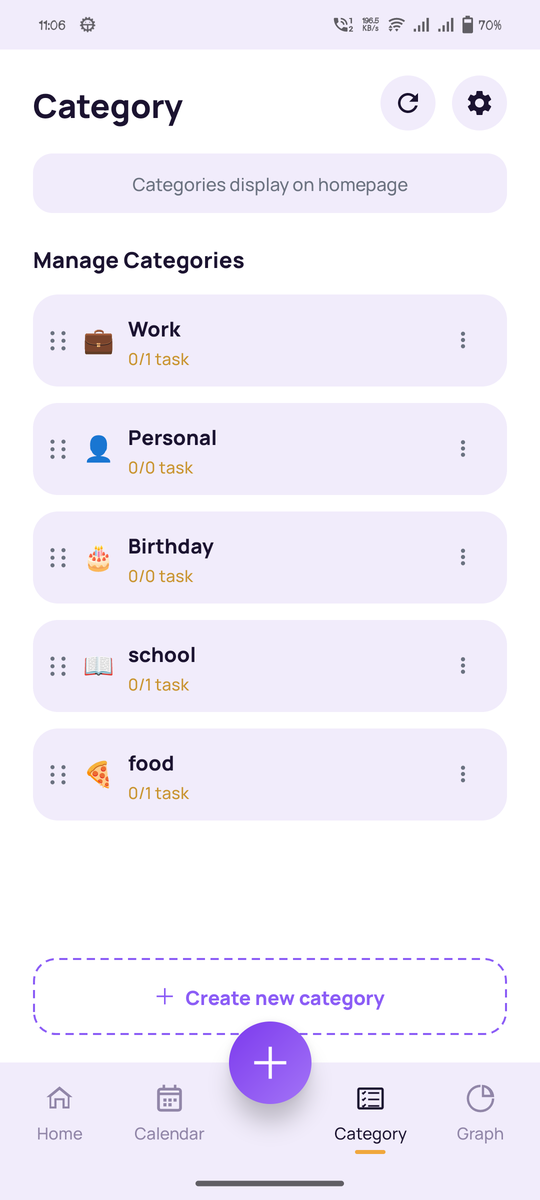
Create categories for the areas of your life that matter (Work, Personal, Health, Shopping), each with its own emoji and a live completion count.
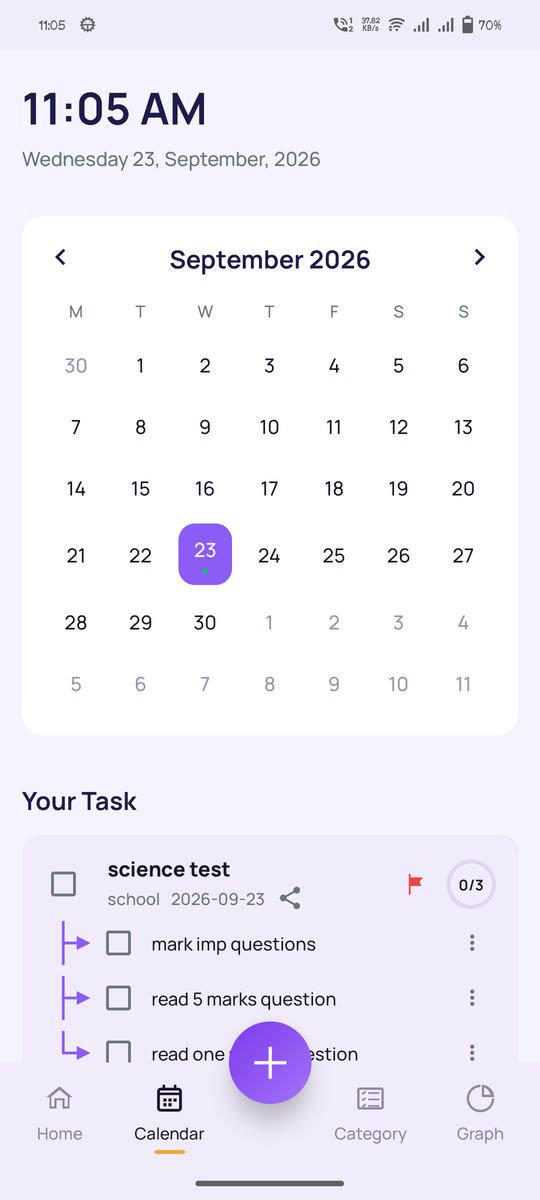
Switch to the month view to see every scheduled task on its date. Tap any day to drill into exactly what's due, in order.
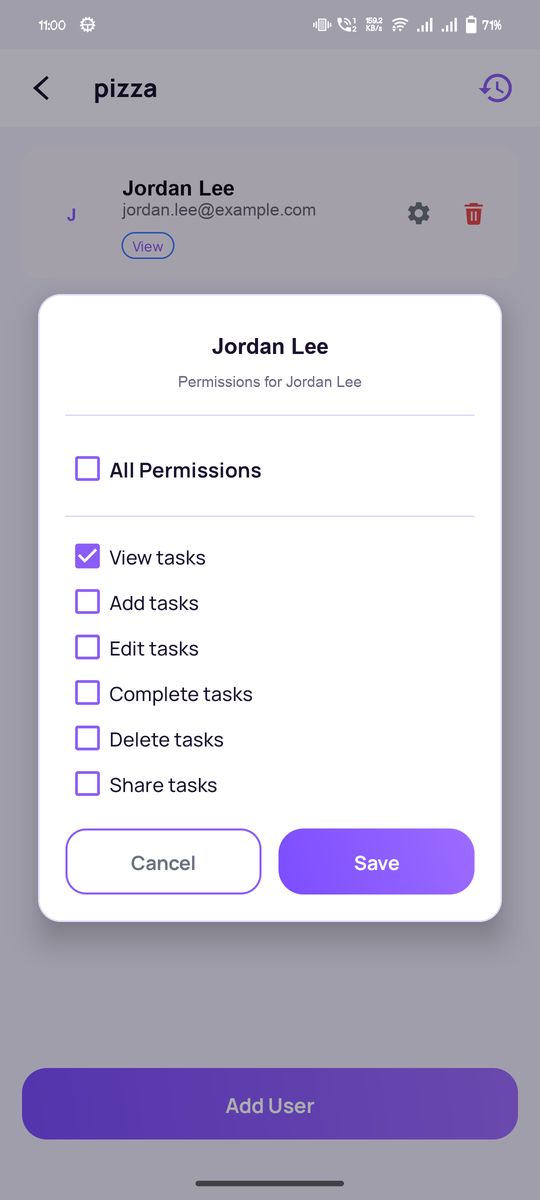
Generate a link for any task, invite a collaborator, and choose their permissions: view, add, edit, complete, delete, or full access. Everyone sees updates the moment they happen.
Want a slower walkthrough? Read the full screenshot tour on the blog.
It only takes a minute to install and start planning your day.